How to make a GIF on Discord: make it, caption it, keep it small
Make the GIF in a tool first, then attach it as a file. Discord's developer reference gives a default upload limit of 20 MiB for each file in an API request, for all users, and says it may be higher with Nitro or a boosted server. Our 2 second, 480 px reaction GIF was 2,613,064 bytes. Below: how to cut one from a video, add text, and shrink it.
By Kevin Fan ·
What Discord's documentation says about upload size
Discord's developer reference states that the file upload size limit applies to each file in a request, and that the default limit is 20 MiB for all users, which may be higher depending on a user's Nitro status or the server's Boost Tier. That is 20,971,520 bytes. We read the page on 19 Nov 2026.
Older advice often quotes 10 MB or less. We did not find those figures on the Discord page we could read, and Discord's support articles on attachments returned an error when we fetched them, so we rely on the developer reference alone. It describes API requests, so the message box in the app may show its own number. Check the message Discord gives you.
A GIF in a message is not a custom emoji
A GIF you send in chat is an ordinary file under the upload limit above. A custom emoji is a separate upload with a much smaller limit: Discord's emoji documentation says emoji and animated emoji have a maximum file size of 256 KiB. For GIF emoji, the Discord emoji size guide has the measured tables, and the Discord emoji maker crops and checks the file.
How big is a short reaction GIF? Measured
We made a 2 second reaction GIF the way the Video to GIF tool does: 30 frames at 15 fps, cut from our 480 × 480 px sample clip. We wrote it at three widths, each in the Balanced and Smaller file modes. At 480 px the Balanced file is 2,613,064 bytes and the Smaller file is 1,324,808. All six files are far below 20,971,520 bytes.
| Size | Balanced | Smaller file | Balanced as a share of 20 MiB |
|---|---|---|---|
| 480 × 480 px | 2,613,064 | 1,324,808 | 12.5% |
| 320 × 320 px | 1,290,196 | 637,967 | 6.2% |
| 240 × 240 px | 758,776 | 376,746 | 3.6% |
Width is the biggest lever. Going from 480 to 240 px cut the Balanced file from 2,613,064 to 758,776 bytes, 3.44 times smaller. The Smaller file mode roughly halves each size: at 320 px it is 637,967 bytes instead of 1,290,196, 2.02 times smaller. Both changes cost some picture quality, so compare the result before you send it.
Length and frame rate multiply the size as they do for any GIF, and LoopGIF's tools cap a GIF at 300 frames and 30 seconds. Your clip can be longer or livelier than ours and still fit, but a busy photographic clip at 480 px can reach several megabytes within seconds, so check the byte count the tool shows.
Add a caption before you send it
A caption is a text layer drawn on every frame. LoopGIF's Add text to GIF tool lets you drag one or more layers into place and keeps each frame's delay, so the speed does not change. We captioned the 240 px clip with one meme-style line, and the file is 362,747 bytes in Smaller file mode, against 376,746 before.
In this clip the captioned file came out smaller than the plain one, so the text did not add bytes here. The two files were encoded in separate runs, so treat the difference as noise rather than a rule. We measured one caption on one clip, so use the byte count the tool shows for your own.
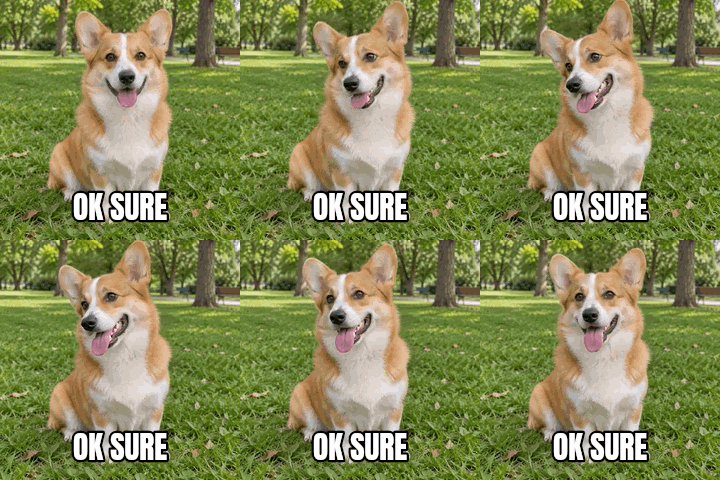 240 px
Make a GIF for Discord with LoopGIF
- Open video to GIF, drop an MP4 or MOV file, and move the Start and End sliders to keep the two to five seconds that carry the point.
- Pick 12 or 15 frames per second, a width of 320 or 480 px, and Balanced or Smaller file, then press Convert to GIF. The result shows its size.
- To add words, open Add text to GIF, drop the GIF, add a layer, drag it into place and download.
- If the file is still too big, open the GIF compressor, choose Target size and type the size you need, or use the GIF resizer to set a smaller width.
- Attach the file in Discord as you would any file. We did not do this step, so check the message Discord shows.
How we checked this page
We read Discord's developer reference and emoji documentation on 19 Nov 2026. The sizes above were measured with LoopGIF's own encoder on a clip from our own sample set, using the Video to GIF tool's frame plan. We have not uploaded these files to Discord, so we do not claim that Discord accepted them or what its app shows. See all LoopGIF guides for related help.
Questions, answered
How do I make a GIF on Discord?
Make the file first, then attach it. Trim a clip with video to GIF, add a caption with Add text to GIF if you want one, and check the byte count. The Discord pages we read describe upload limits and emoji, not a GIF editor, and we did not upload our test files, so we cannot describe the app's attach steps.
What is the Discord GIF size limit?
Discord's developer reference gives a default of 20 MiB for each file in an API request, for all users, and says it may be higher with Nitro or a server's Boost Tier. The app may show its own number. Custom emoji have their own limit of 256 KiB per the emoji documentation. Some guides quote 10 MB, which we did not find on the pages we could read.
How do I make a GIF from a video for Discord?
Open video to GIF, drop an MP4 or MOV file, trim it with the Start and End sliders, pick 12 or 15 frames per second and a width, and press Convert to GIF. In our test, a 2 second clip at 320 px came to 1,290,196 bytes in Balanced mode and 637,967 in Smaller file mode.
How do I add text to a GIF for Discord?
Drop the GIF into Add text to GIF, start from the meme preset or add a layer, type the words, and drag them into place. Each frame keeps its delay, so the speed is unchanged. A single line on our 240 px clip gave a file of 362,747 bytes in Smaller file mode.
Can I use my GIF as a Discord emoji?
GIF is an allowed emoji format, but Discord's emoji documentation caps the file at 256 KiB, which is 262,144 bytes. Our 240 px reaction GIF in Smaller file mode was 376,746 bytes, over that limit, so an emoji needs a smaller picture and fewer frames. The Discord emoji maker does that and checks the result.
Why is my GIF so big?
A GIF stores every frame as a separate picture, so size grows with width, frame count and length. Our 2 second clip with 30 frames was 2,613,064 bytes at 480 px and 758,776 at 240 px. Cut the width first, then try Smaller file, then shorten the clip. The GIF compressor can aim for a size you type.