GIF player
Open a GIF and take control of it. Play and pause, step one frame at a time with the arrow keys, drag through the frames, change the speed from a quarter to four times and see each frame's number and delay. Save the frame you are looking at as a PNG or as a one-frame GIF. It runs in your browser: no upload, no sign-up.
Free · no sign-up · runs in your browser
GIF only · up to 25 MB · up to 300 frames · nothing is uploaded
Drop a GIF here
How to use it
Drop your GIF
Drop a GIF onto the box or click to choose one. Up to 25 MB and 300 frames. It is opened on your device and never leaves it, and it starts to play.
Pause and step
Press Pause, or press the left or right arrow key, which also pauses. The arrow keys step one frame back or forward. You can drag the slider to go anywhere.
Set the speed
Choose a playback speed from a quarter to four times, and switch looping on or off. The page shows the frame number and its delay.
Save the frame
Press Save this frame as PNG, or Make a still GIF of this frame. Nothing is saved until you press a button.
Examples made with this tool
Each example takes one frame of one of our own GIFs. The GIF is on the left and the PNG saved from one frame is on the right, and the settings line says which frame it is and how big the matching still GIF is.
 Original
 Saved frame
Frame 9 of 16 saved as a PNG at the full 320 by 320 px. The PNG keeps the picture exactly as the player showed it.Settings usedFrame 9 of 16 saved as a PNG at 320 × 320 px. A one-frame GIF of the same frame is 28 KB.GIF 498 KB (320 × 320 px) → PNG 63 KB (320 × 320 px)  Original
 Saved frame
Frame 5 of 16, saved as a PNG. A still of a meme is a useful way to share one good moment without the animation.Settings usedFrame 5 of 16 saved as a PNG at 320 × 320 px. A one-frame GIF of the same frame is 42 KB.GIF 719 KB (320 × 320 px) → PNG 83 KB (320 × 320 px)  Original
 Saved frame
Frame 4 of 12. A frame by frame look is the easiest way to find the best still.Settings usedFrame 4 of 12 saved as a PNG at 480 × 270 px. A one-frame GIF of the same frame is 12 KB.GIF 130 KB (480 × 270 px) → PNG 22 KB (480 × 270 px)  Original
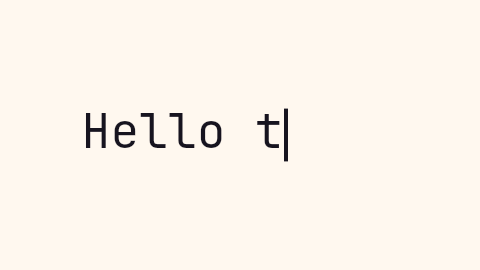 Saved frame
Frame 8 of 14, with part of the sentence typed. The still GIF of the same frame is only a few kilobytes.Settings usedFrame 8 of 14 saved as a PNG at 480 × 270 px. A one-frame GIF of the same frame is 2 KB.GIF 14 KB (480 × 270 px) → PNG 4 KB (480 × 270 px)
Pause, freeze and step
A GIF shown in an image tag has no pause button. The player decodes the GIF and draws one frame at a time, so it can stop on any of them. Press Pause to freeze it. The left and right arrow keys step one frame back or forward and pause the playback, so you can walk through a GIF frame by frame.
The slider does the same with the mouse or a finger, and it is a standard slider, so it also works with the keyboard. The page shows the frame number out of the total and the delay of the frame you are on. Looping can be switched off, and then the player stops on the last frame.
Speed and timing
The playback speed divides every frame's delay: at 0.25 times, each frame stays four times longer, and at 4 times it is shown a quarter as long. This only changes how the GIF plays in the player. It does not change the file. To make a new GIF at a new speed, use the speed changer.
The player waits for each frame's own delay before it shows the next one. A very fast GIF, or a large one on a slow device, can fall behind, because each frame has to be decoded and drawn first. The numbers shown are always those stored in the file.
Saving the frame you see
Save this frame as PNG writes the frame at the full size of the GIF. A PNG keeps transparency, so a transparent GIF gives a transparent PNG. Make a still GIF of this frame writes a GIF with one frame, which is useful where a site wants a GIF but you want it still. Both take the frame that is showing.
The player is a viewer, not an exporter: it saves nothing unless you press one of these buttons. To get every frame at once, as a ZIP of PNG or JPG files, use the GIF splitter. To check the timing of the whole file at once, use the frame rate checker.
Related tools
These tools handle what usually comes next.
- GIF splitter: save every frame as a ZIP of PNG or JPG files.
- GIF frame rate checker: see the delay of every frame, the frame rate and the loop count.
- GIF speed changer: make a new GIF at a different speed.
When a player helps
Pausing a GIF
Freeze a GIF on one frame so you can read it.
Finding the best frame
Step through to the moment you want to use as a still.
Checking a loop
Look at the first and last frames to see where the loop joins.
Reading fast text
Slow a GIF to a quarter speed to read what flashes by.
Saving a still
Save one frame as a PNG or a one-frame GIF.
How this tool works and its limits
This is what the player does, and where it stops.
- Your GIF never leaves your device. It is opened, processed and written in your browser, with no upload and no account.
- GIFs up to 25 MB and 300 frames are accepted. A GIF with more frames is refused with a message.
- The player draws frames in your browser, so a large or very fast GIF can lag behind its own timing on a slow device.
- Playback speed changes only how the GIF is shown here. It does not change the file.
- A saved PNG or still GIF is the frame as the player draws it, at the original size. A one-frame GIF has at most 256 colours.
- The arrow keys work when the focus is not in a text box. If you are using the slider, its own arrow keys step the frame as well.
- We built and tested this tool in current desktop Chrome. It uses ordinary canvas, workers and GIF decoding, and the list below checks your own browser live. We have not tested other browsers ourselves.
Does your browser support this?
This list is checked against the browser you are using right now, by asking it directly. It is not a guess from the browser name.
- GIF files: checking
- Background encoding (Web Workers): checking
Questions, answered
How do I pause a GIF?
Drop it in the player and press Pause. The left and right arrow keys also pause it and step one frame at a time.
How do I see a GIF frame by frame?
Pause the GIF, then use the left and right arrow keys or the slider. The page shows the frame number and the delay.
How do I save one frame of a GIF?
Pause on the frame and press Save this frame as PNG. For a one-frame GIF, press Make a still GIF of this frame.
Can I slow a GIF down to look at it?
Yes. Choose 0.25 times or 0.5 times. That only changes the player. To make a new, slower GIF, use the speed changer.
How do I get every frame?
Use the GIF splitter, which saves all the frames as a ZIP of PNG or JPG files.
Is my GIF uploaded?
No. The GIF is opened on your device. Nothing is sent to a server and you need no account.
Related tools
Other tools you may need next.
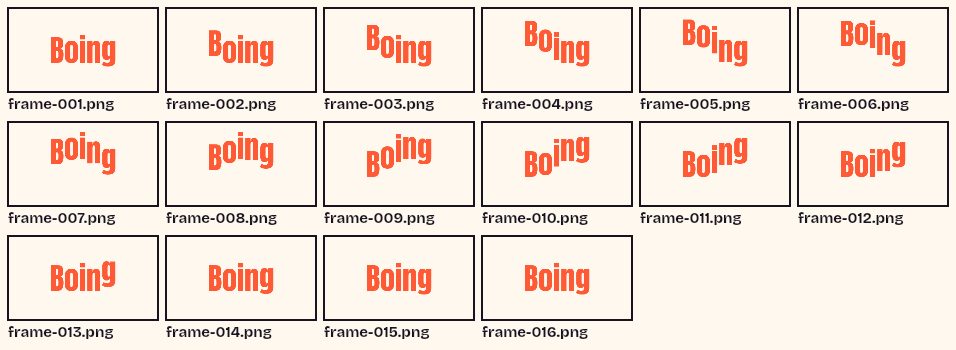 GIF SplitterFreeSee every frame of a GIF in a grid, pick the ones you want and download them as a ZIP.
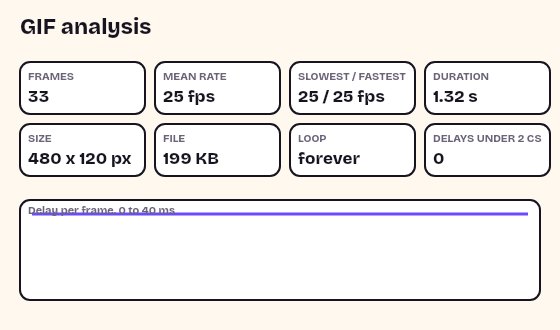 GIF Frame Rate CheckerFreeRead a GIF's frame count, delays, fps, duration, loop count and palette, without uploading it.
 GIF Speed ChangerFreeSpeed up or slow down any GIF and keep its timing.
 Add Text to GIFFreeCaption a GIF or short MP4 with several text layers and per-layer frame ranges.