GIF to PNG
Scrub through your GIF, stop on the frame you want and save it as a PNG. Transparent pixels stay transparent. It runs in your browser and nothing is uploaded.
Free · no sign-up · runs in your browser
GIF only · up to 25 MB · up to 300 frames · nothing is uploaded
Your new GIF appears here.
How to use it
Drop your GIF
Drop a GIF onto the box or click to choose one. It can be up to 25 MB and 300 frames, and it is opened on your device.
Scrub to the frame
Drag the frame slider or use the arrow buttons. The preview shows the frame at full detail on a checkerboard so transparent areas are easy to see, and the line below gives the frame number and time.
Choose the PNG options
The PNG keeps transparency by default. You can fill transparent areas with a colour instead, or pick a smaller size such as 480 or 320 px wide.
Make the PNG and download
Press Save this frame as PNG. The picture appears beside the frame with its size, and Download saves a file named like your GIF, with the frame number.
Examples made with this tool
Each example takes one frame of one of our own GIFs, drawn the way the tool draws it, and saves it as a PNG. The GIF is on the left and the PNG, shown on a dark background so you can see the transparency, is on the right.
 Original
 PNG
Frame 10 of 16 at full size. The checkerboard behind the animation on the left is the transparency, and the PNG on the right keeps it, so the bear can sit on any background.Settings usedFrame 10 of 16, saved as PNG at 320 × 320 px with transparency kept.GIF 356 KB (320 × 320 px) → PNG 54 KB (320 × 320 px)  Original
 PNG
The same idea at 160 px wide. Picking a smaller size in the Size menu makes a PNG that is a fraction of the file size, which suits an icon.Settings usedFrame 6 of 16, saved as PNG at 160 × 160 px with transparency kept.GIF 491 KB (320 × 320 px) → PNG 34 KB (160 × 160 px)  Original
 PNG
A text GIF with a clear background. The PNG of a glitter frame has the sparkles and the letters and nothing behind them.Settings usedFrame 8 of 12, saved as PNG at 400 × 200 px with transparency kept.GIF 62 KB (400 × 200 px) → PNG 12 KB (400 × 200 px)  Original
 PNG
The twelfth frame of a logo that bounces, saved at 240 px. A single frame of a loop is a quick way to get a still version of a logo mid-motion.Settings usedFrame 12 of 23, saved as PNG at 240 × 240 px with transparency kept.GIF 168 KB (320 × 320 px) → PNG 19 KB (240 × 240 px)
How to save a GIF frame as a PNG
Open the GIF and move the slider until the preview shows the frame you want. The arrow buttons step one frame at a time, which is the quickest way to land on an exact frame, and the slider also responds to the arrow keys. When it looks right, press the button, check the picture next to the preview and download it.
The file is named after your GIF with the frame number, so saving several frames of the same GIF gives files that sort in order. Each press makes one PNG; if you want many frames at once, use the GIF splitter that this page links to.
Why PNG for a GIF frame: transparency
A GIF can have see-through pixels, and PNG is the common format that can keep them. Saving the frame as a PNG leaves the background see-through, so you can place the picture on a slide, a website or an image editor without a box around it. A format without transparency, such as JPG, would fill the background with a colour.
GIF transparency is on or off for each pixel, so edges are hard. The PNG keeps exactly what the frame shows, hard edges included. If you want a solid background anyway, tick the fill option and choose a colour.
One frame or all frames
This page makes one PNG at a time, because that is what most people want from a GIF: a still for a thumbnail, a poster, an icon or a quick look at a moment. For every frame as a numbered set of files in a ZIP, use the GIF splitter. For one image that holds every frame in a grid, use GIF to sprite sheet.
If your GIF is heavy and you only want a small picture of it, resize the PNG with the Size menu before you download. A 480 px wide PNG is much smaller than a full-size one and is enough for most previews.
Other tools for the same GIF
These tools take a GIF apart or change it in other ways.
- GIF splitter for every frame: download all or some frames as a ZIP of PNG or JPG files.
- GIF to JPG when you want a smaller flat image: pick a background colour and a quality.
- GIF resizer: change the size of the animation itself.
When GIF to PNG helps
A thumbnail for a GIF
Use the clearest frame as the preview image on a page or in a document.
A transparent sticker or icon
Keep one pose of an animated sticker as a still with no background.
A frame for a slide or a doc
Put a still of the moment in a deck, where animation would be distracting.
Editing in an image editor
Open the PNG and retouch a frame, or use it as a reference.
A screenshot of an animation
Capture the exact frame without a screenshot tool and without the checkerboard.
How this tool works and its limits
This is what the tool does, and where it stops.
- Your GIF never leaves your device. It is opened and the frame is drawn and saved in your browser, with no upload and no account.
- GIFs up to 25 MB and 300 frames are accepted. The PNG can be as large as the GIF itself, up to 4096 px on the longer side.
- One frame per press. For several frames at once use the GIF splitter.
- The PNG is the frame as a browser draws it, with earlier frames composited in. GIF transparency is on or off per pixel, so edges are hard.
- The PNG shows the frame, not the animation. A PNG cannot play back; for that, the GIF stays a GIF.
- If the GIF is a still image or has one frame, the slider has nothing to scrub and the PNG is that frame.
- We built and tested the tool in current Chrome. GIFs open everywhere, using your browser's decoder or our own.
Does your browser support this?
This list is checked against the browser you are using right now, by asking it directly. It is not a guess from the browser name.
- GIF files: checking
Questions, answered
How do I convert a GIF to a PNG?
Drop the GIF above, scrub to the frame you want and press Save this frame as PNG. Download saves the picture. It runs in your browser.
Does the PNG keep the GIF's transparency?
Yes, by default. Transparent pixels stay transparent. If you would rather have a coloured background, tick the fill option and choose a colour.
Can I convert all the frames to PNG?
Not on this page, which saves one frame at a time. The GIF splitter downloads every frame, or a selection, as a ZIP of PNG files.
How do I get the first frame of a GIF as a PNG?
Load the GIF and leave the slider at frame 1, which is where it starts. Then press Save this frame as PNG.
Is my GIF uploaded?
No. The GIF is opened and the PNG is made on your device. Nothing is sent to a server and you need no account.
Why is my PNG bigger than the GIF?
A PNG of a full frame stores every pixel with its own colour and optional transparency, while a GIF stores indexed colours across all frames with a lot of sharing. Choose a smaller size to cut the PNG.
Related tools
Other tools you may need next.
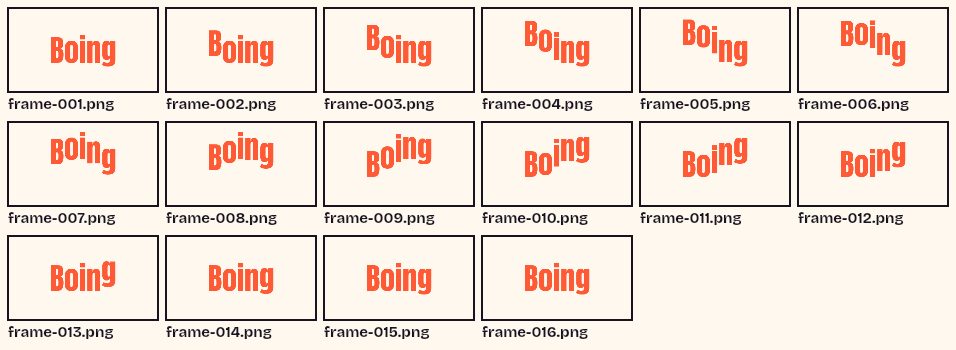 GIF SplitterFreeSee every frame of a GIF in a grid, pick the ones you want and download them as a ZIP.
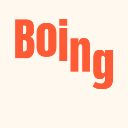 GIF ResizerFreeResize a GIF to an exact width and height, a percentage or a square emoji.
 Video to GIFFreeTrim an MP4 or MOV clip, pick a frame rate and width, and make a GIF in your browser.
 MOV to GIFFreeConvert an iPhone or QuickTime MOV to a GIF, with help for HEVC and HDR clips.