AI GIF tools
Most of LoopGIF runs in your browser for free. The two tools on this page do not, because they send your prompt (and, for Animate Photo, your photo) to an AI model that draws the animation. Each generation costs one credit, and re-exporting the result at another size or speed costs nothing.
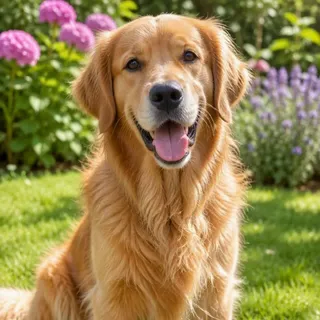
Animate Photo takes a single still image, such as a pet, a landscape, a drawing or a product shot, and a short description of the motion you want. It returns a short video that finishes on your original frame, so it loops without a jump, and you can download it as a GIF or an MP4. Photos of real people are not supported. If your picture shows a person, the free tools are the better place to start.
The AI sticker generator makes an animated sticker from a description and exports it as a GIF with a transparent background, plus a still PNG of the best frame. That is the file you want for chat apps and for putting a character on top of other artwork. If you only need a GIF with exact text, the free text tools can draw it without a credit, and several tools that look free, such as Text to GIF, the meme maker and the logo maker, also have an AI tab for the same prompt-driven results.
A good rule: use AI when the picture does not exist yet and you want it invented, and use the free tools when you already have the picture, the video or the words. The free tools never upload your file. The AI tools do send your input to the model, and the page that runs them says so before you press the button. Pick a tool below to see examples made with it. Before you spend a credit, look at the examples on each tool page: they show the prompt or settings used, so you can judge whether the style is what you want. Because AI results vary from one generation to the next, treat the first result as a draft: if it is close, change a word in the description and try again, and use the free tools afterwards to trim, resize or compress the file you like best.
The 2 tools in this group

Questions, answered
How much do the AI tools cost?
One credit per generation. Re-exporting a result at a different width, speed or loop setting is free. The free tools elsewhere on the site cost nothing and need no sign-up. See the pricing page for how credits are sold.
Is my photo uploaded when I use an AI tool?
Yes. An AI tool has to send your prompt, and for Animate Photo your image, to the model that makes the animation. That is different from the free tools, which open and encode files entirely in your browser and upload nothing.
Can I animate a photo of a person?
No. Animate Photo does not support photos of real people. Pets, landscapes, artwork, drawings, toys and food work well. For a clip of a person, convert your own video to a GIF with the free video to GIF tool instead.
Which tool should I try first?
If you have one still photo you want to move, try Animate Photo. If you want a character or an emoji-style animation on a transparent background, try the AI sticker generator. If you already have a video, a GIF or a set of pictures, you do not need AI: use the Convert and Edit tools.