Animate Photo with AI
Upload one still image, say how it should move, and the AI video model animates it into a loop of about 3 seconds that ends on your original frame. Download it as a GIF or an MP4. Each GIF costs 1 credit, and photos of real people aren't supported.
AI · 1 credit per GIF · account needed · no photos of real people
Your image
JPEG, PNG or WebP · up to 4 MB · cropped to a square
Style
Smooth loops that end where they start. Best for photos, pets and characters.
Motion
Already have an account? Sign in
1 credit · re-exports are free
Use images you have rights to. No photos of real people.
Your loop shows up here
Recent GIFs
Sign in to see your GIFs.
How to use it
Upload one picture
Drop a JPEG, PNG or WebP of up to 4 MB, click to choose one, or paste it. It is cropped to a square, so keep your subject near the middle.
Pick or write a motion
Tap one of the six motion chips, such as head tilt or steam and smoke, then edit the sentence. Say what should move and what must stay the same, in up to 300 characters.
Generate your loop
Press Generate. It costs 1 credit and usually takes under a minute, at most about 2. You can leave the page; the job waits in your history, and a failed job is refunded.
Export the GIF
Pick a width, frame rate, speed and loop smoothing, then download the GIF, or the MP4 if you want a lighter file. Changing the export settings is free.
Examples made with this tool
Six real outputs from this tool. Each started as a still image we own: no real people, no stock photos. The prompt under each clip is exactly what we typed. Hover or tap a clip to play it.
- seamless
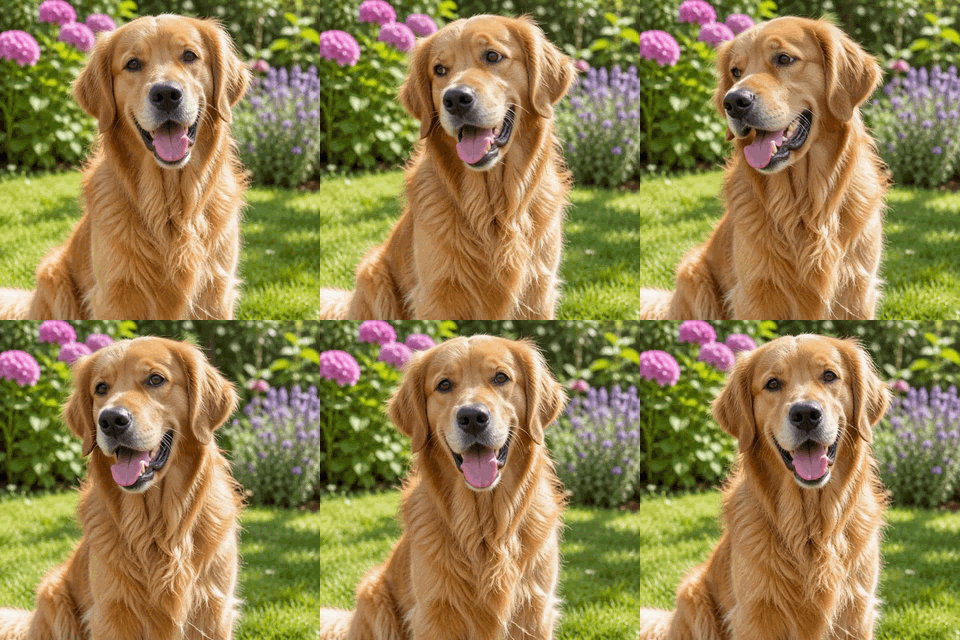
Pet photo: a gentle head tilt, a blink and ears moving. The grass and flowers stay still.Prompt usedThe dog tilts its head slightly, blinks and its ears move gently in the breeze. Keep the dog and background unchanged.MP4 129 KB · GIF 1.8 MB · 38 frames at 320 px · about 3 s loopDownload the GIF (1.8 MB) - seamless
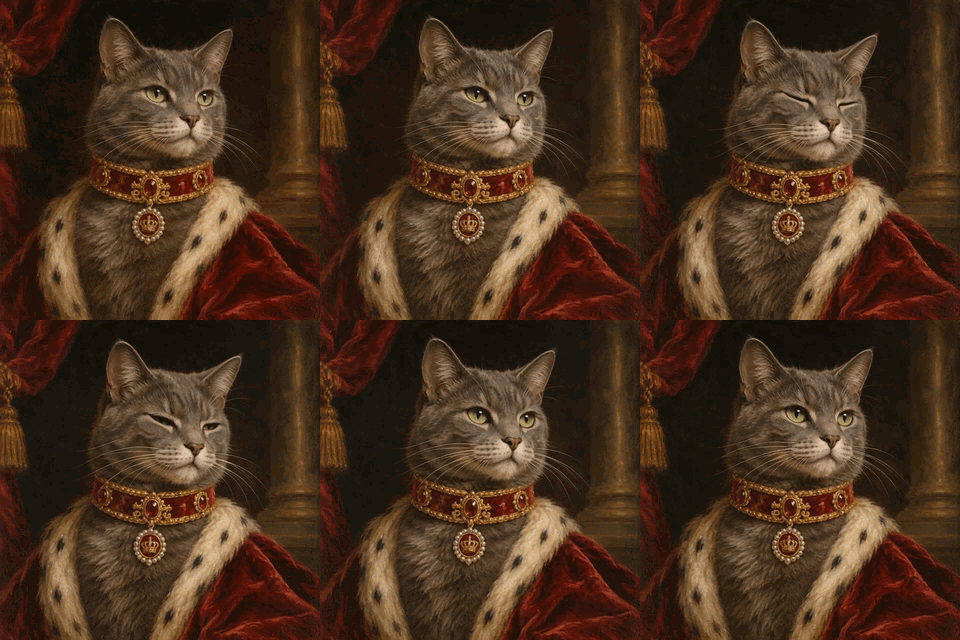
Painting: blinking and whiskers, with a candlelight flicker, and the brush style left alone.Prompt usedThe cat blinks slowly and its whiskers twitch while candlelight flickers. Keep the painting style unchanged.MP4 78 KB · GIF 1.6 MB · 38 frames at 320 px · about 3 s loopDownload the GIF (1.6 MB) - seamless
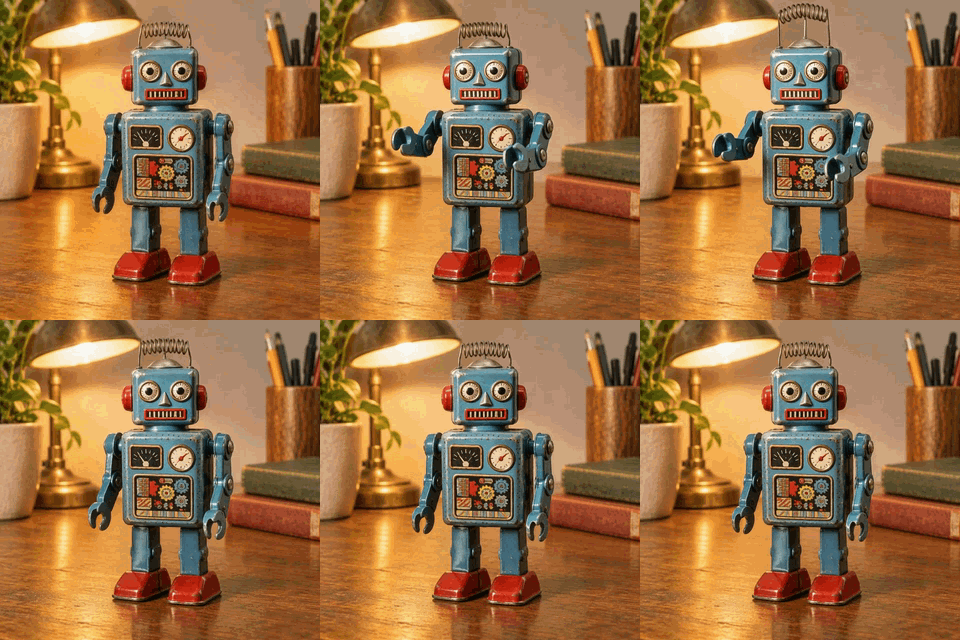
Toy: small arm sway and an antenna wobble, ideal for a product or collection shot.Prompt usedThe toy robot gently sways its arms and its antenna wobbles. Keep the toy and background unchanged.MP4 92 KB · GIF 1.2 MB · 38 frames at 320 px · about 3 s loopDownload the GIF (1.2 MB) - seamless
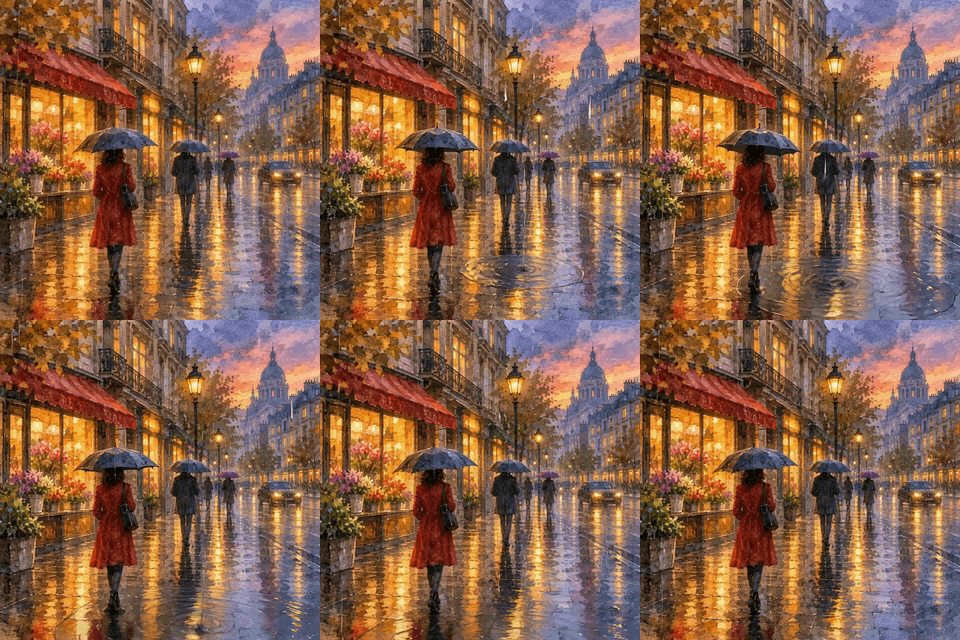
Art: rain and shimmering window lights, with the watercolour look and the composition kept.Prompt usedRain falls gently and the window lights shimmer. Keep the painting style and composition unchanged.MP4 198 KB · GIF 1.8 MB · 38 frames at 320 px · about 3 s loopDownload the GIF (1.8 MB) - seamless
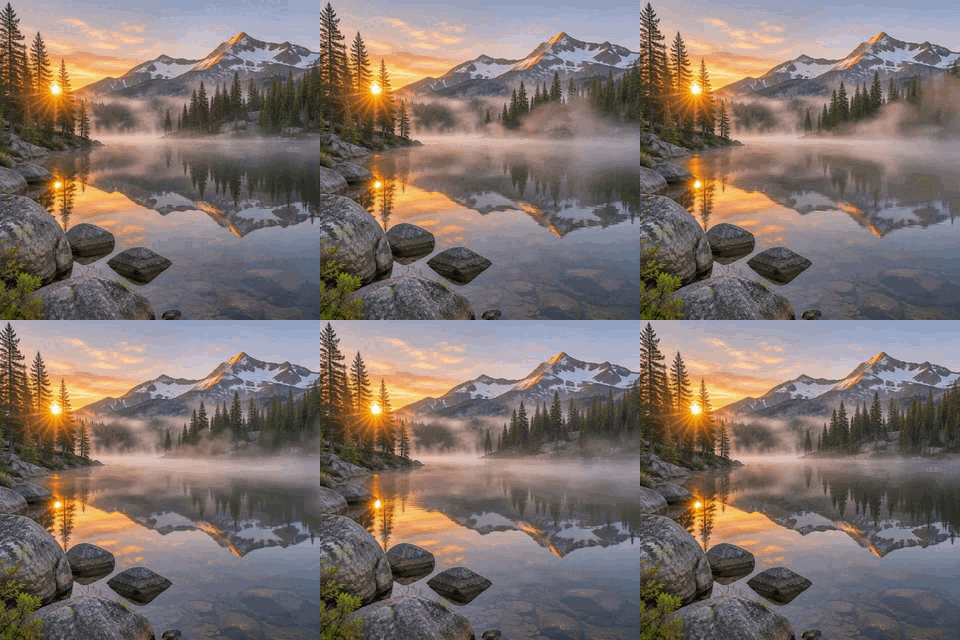
Travel-style scenery: drifting mist and soft ripples while the mountains stay put.Prompt usedMist drifts slowly across the lake and the water ripples softly. Keep the scene unchanged.MP4 107 KB · GIF 1.4 MB · 38 frames at 320 px · about 3 s loopDownload the GIF (1.4 MB) - seamless
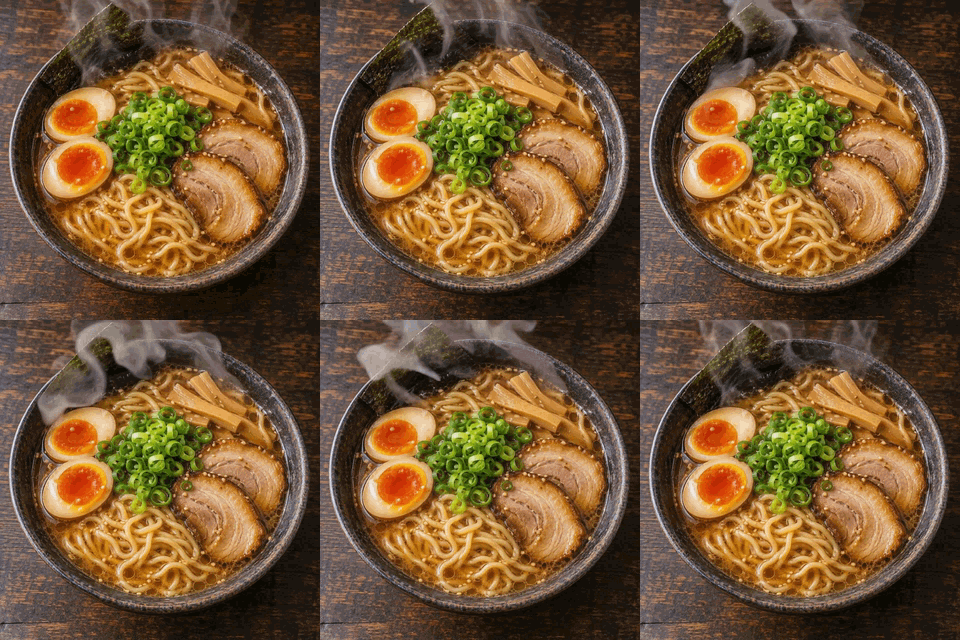
Food: steam rising and curling, and a slight shimmer on the broth.Prompt usedSteam rises and curls from the bowl and the broth shimmers slightly. Keep the food and background unchanged.MP4 133 KB · GIF 1.6 MB · 38 frames at 320 px · about 3 s loopDownload the GIF (1.6 MB)
Animate a pet photo with AI
Pets are the best first test. A dog, cat, rabbit or bird photographed head-on gives the model a clear subject, a face to work with and a background that can stay put. In our golden retriever sample the prompt asks for a slight head tilt, a blink and ears moving in the breeze, then ends with a sentence telling the model to keep the dog and background unchanged. That last sentence matters. It says what not to touch, which is why the grass and flowers stay calm while only the dog moves.
Good pet prompts name one or two small movements, not a whole scene: a blink, a tail flick, whiskers twitching, fur lifting in the wind. Avoid asking for running, jumping or a new location. A three second loop that has to end where it started has little room for big action. Photos taken at eye level in daylight, with the animal filling a third to half of the frame, work best, and because the picture is cropped to a square you should check that the face survives the crop before you upload.
Animate a kid's drawing
A child's crayon or marker drawing is one of the happiest things to animate, and it is a drawing, not a photo of a child. Scan or photograph the page flat in even light, crop it square, and describe the motion for the character, for example: the dinosaur blinks and its tail swishes, keep the paper texture and crayon lines unchanged. Saying what to keep helps the model hold on to flat colours and wobbly outlines, which are the charm of the original.
Keep the request simple, with one character and one motion. If the page has the child's face or a family photo taped to it, crop that part out, because photos of real people aren't supported. Drawings on a plain background loop most cleanly, and a loop that ends on the original frame makes a neat card for a grandparent or a message on the fridge door.
Animate a travel photo
Landscapes and city views move well because nature already moves: mist over a lake, rippling water, drifting clouds, steam, rain on a window, flags and trees in the wind. The mountain lake sample asks for mist drifting across the water and soft ripples while the scene stays unchanged. Shots with a strong horizon and one moving element give the cleanest loop.
Skip prompts that need a person to do something. If people fill the foreground of your holiday photo, choose another picture: photos of real people aren't supported, and small figures in the distance may blur or drift. Crop to the square you want before you upload so the sky, skyline or mountains sit where you expect.
Animate art and paintings
Oil portraits, watercolours and illustrations are forgiving, because viewers expect a painting to shimmer a little. Our oil portrait of a cat blinks and twitches its whiskers while candlelight flickers, and the watercolour street has rain falling and window lights shimmering. Adding a phrase like keep the painting style and composition unchanged stops the model from turning brush strokes into photorealism.
For logos and lettering, switch the Style control above to Logo and lettering. That mode uses an image model that keeps letters sharp, draws 16 frames and usually finishes in 15 to 30 seconds. It also costs 1 credit, and the result moves less smoothly than a photo loop.
Photos of real people aren't supported
This tool is for pets, toys, objects, food, scenery, artwork and drawings. We don't support photos of real people: no selfies, family pictures, portraits of friends, celebrities or children. Please upload only images you have the rights to; the Terms say the same. If a picture has a person in it, choose another one. This is a deliberate limit, not a missing feature.
There is also no anonymous free try. Generating needs a signed-in account and 1 credit per GIF, and the Pricing page shows how credits work. Everything else on this site that runs in your browser, from the image to GIF converter to the speed changer, is free.
Where an animated photo works well
Profile pictures and avatars
A pet, mascot or illustration that blinks makes a friendlier avatar than a still. Export at 320 pixels wide and use the smaller file setting.
Posts and stories
A three second loop of steam, rain or mist gives a still photo a reason to be noticed in a feed. Use the MP4 where a platform prefers video.
Greeting cards and messages
Animate a drawing or a card illustration and send the GIF in a chat. The loop ends on your original frame, so it never twitches at the seam.
Shop, blog and newsletter headers
Give a product-style photo, such as the toy robot, a small motion. Check the GIF size first: our 320 pixel samples run 1.3 to 1.9 MB.
Slides and documents
A gently moving landscape or painting works as a title slide background. Choose loop smoothing if you ever see a small jump at the end.
How this tool works and its limits
This is what to expect before you spend a credit.
- Upload a JPEG, PNG or WebP of up to 4 MB. The image is cropped to a square before it is sent, so keep the subject near the centre. Files are private to your account.
- Each generation makes a loop of about 3 seconds that is built to end on your original frame. Our samples are 38 frames at 320 pixels wide.
- It usually takes under a minute and at most about 2 minutes. You can close the page and open the job later from your history.
- 1 credit per GIF. If a generation fails, the credit is refunded. Re-exporting at another width, frame rate or speed is free, and so is downloading the MP4. There is no anonymous free try; you need an account.
- The GIF is built in your browser from the video the AI returns, so the export controls are instant to change. GIFs are much larger than the MP4: the samples above are 1.3 to 1.9 MB as GIFs and 80 to 200 KB as MP4s.
- The motion description is limited to 300 characters. Photos of real people aren't supported, and you should only use images you have the rights to.
- Works in current Chrome, Edge, Firefox and Safari. If your device asks for reduced motion, clips start paused until you play them.
Questions, answered
How do I animate a photo with AI?
Sign in, drop a JPEG, PNG or WebP of up to 4 MB into the tool, choose a motion chip or write your own sentence, and press Generate. It costs 1 credit and usually takes under a minute. When the loop is ready, pick a width, frame rate and speed and download the GIF or MP4.
Can I animate a photo of a person?
No. Photos of real people aren't supported, including selfies, family photos and portraits. Pets, toys, objects, food, scenery, artwork and drawings work well. Please only upload images you have the rights to.
How long is the animation, and how long does it take?
The loop lasts about 3 seconds and is built to end on your original frame, so it repeats without a jump. Generating usually takes under a minute and at most about 2 minutes. You can leave the page and come back to it in your history.
Is it free to animate an image?
Not on this page. Each GIF costs 1 credit and needs an account; there is no anonymous free try. Re-exporting is free, and a failed generation is refunded. If you only need a GIF from several pictures you already have, the free image to GIF converter does that in your browser.
Which images animate best?
Images with one clear subject and a simple background: a dog or cat facing the camera, a toy, a bowl of steaming food, a misty lake, a painting or a child's drawing. Crowded scenes, tiny details and text-heavy images give less reliable results.
Why is the GIF bigger than the MP4?
A GIF stores each frame as a picture with at most 256 colours, while an MP4 uses video compression. In our samples the MP4s are 80 to 200 KB and the GIFs 1.3 to 1.9 MB. Choose the smaller file setting, a narrower width or a lower frame rate to shrink the GIF, or download the MP4.
Related tools
Other tools you may need next.
 Image to GIFFreeCombine several images into one GIF: reorder, set delays, crossfade.
 Text to GIFFree + AIDescribe a GIF, or animate exact words with AI.
 Add Text to GIFFreeCaption a GIF or short MP4 with several text layers and per-layer frame ranges.
 GIF Speed ChangerFreeSpeed up, slow down or reverse any GIF and keep its timing.