3D Text Generator
Turn a word into thick 3D letters with a lit face and a shaded side. Choose how deep they are, pick the face and side colours, let them sway or orbit, then download a looping GIF or a PNG still of any frame. It runs in your browser: no sign-up, no watermark, and your text never leaves your device.
Free · no sign-up · runs in your browser
estimating size
Saves the frame on screen as a PNG with full transparency if the background is transparent. Pause the preview to pick the pose.
Encoding happens in your browser when you click Download. Nothing is uploaded.
How to use it
Pick a 3D style
Gold block, Candy, Steel or Red in Style presets. Each one sets a word, a font, a face colour, a side colour, a depth and a motion. All of them can be changed afterwards.
Type your text and choose a font
Heavy fonts such as Anton, Bebas Neue and Oswald show the extrusion best. Rounded Fredoka also works. Very thin fonts have little face, so the side can look larger than the letters.
Set depth, colours and motion
Depth runs from 2 to 30 percent of the text size. Change the Face colour and the Side colour, then pick Sway, Orbit or Still under Motion. Turn on Text shadow for a hard shadow behind the letters.
Download a GIF or a PNG
Press Download GIF for the 24-frame loop. For a still image, pause the preview on the pose you like and press Download PNG of this frame.
Examples made with this tool
Four 3D text GIFs made by this tool. Each caption lists the exact settings, and the size line under each GIF is measured from the real file. The last one uses the Still motion, so its frames are all the same.
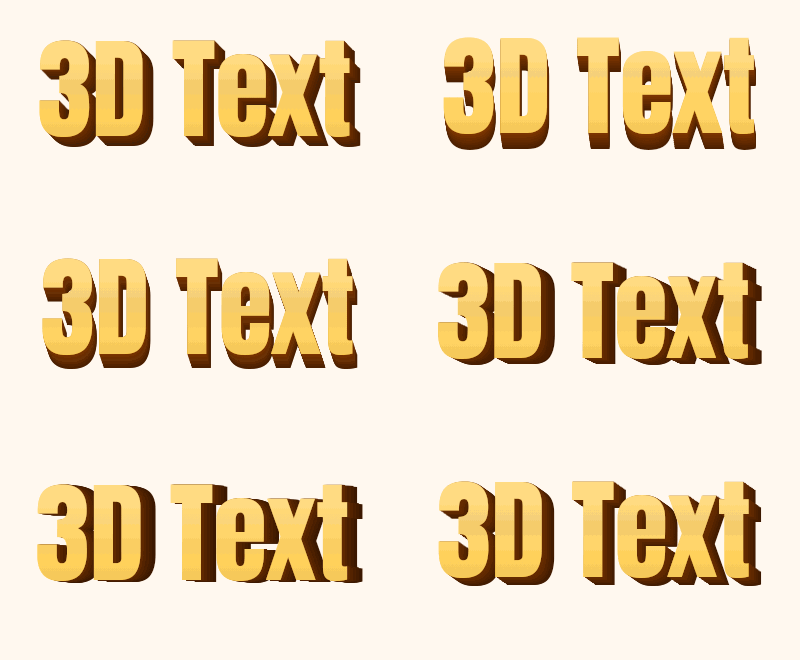 seamless
Gold block preset: Anton at 110 px, depth 14 percent, Sway motion, on a cream background.Settings usedAnton, 110 px · 400 × 220 · #ffc83d on #fff8ef · depth 14% of the text size, sway motion, side colour #8a3b0024 frames · 169 KB · 1.2 s loop 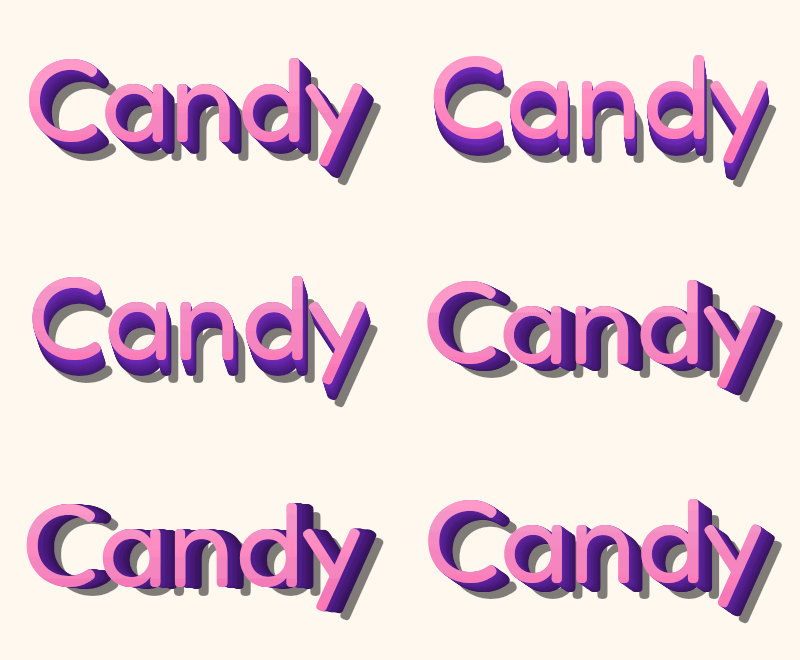 seamless
Candy preset: Fredoka at 120 px, depth 14 percent, Sway motion and a hard text shadow.Settings usedFredoka, 120 px · 400 × 220 · #ff6fb1 on #fff8ef · depth 14% of the text size, sway motion, side colour #7b2fd0 · text shadow24 frames · 206 KB · 1.2 s loop 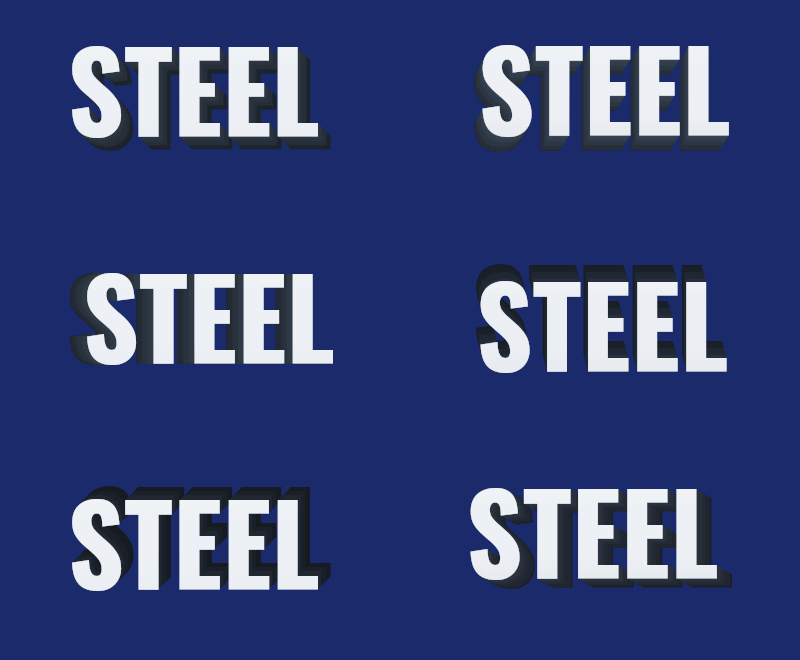 seamless
Steel preset: Oswald at 110 px, depth 16 percent and Orbit motion, so the side travels all the way around.Settings usedOswald, 110 px · 400 × 220 · #e8edf2 on #1b2a6b · depth 16% of the text size, orbit motion, side colour #3a465624 frames · 127 KB · 1.2 s loop 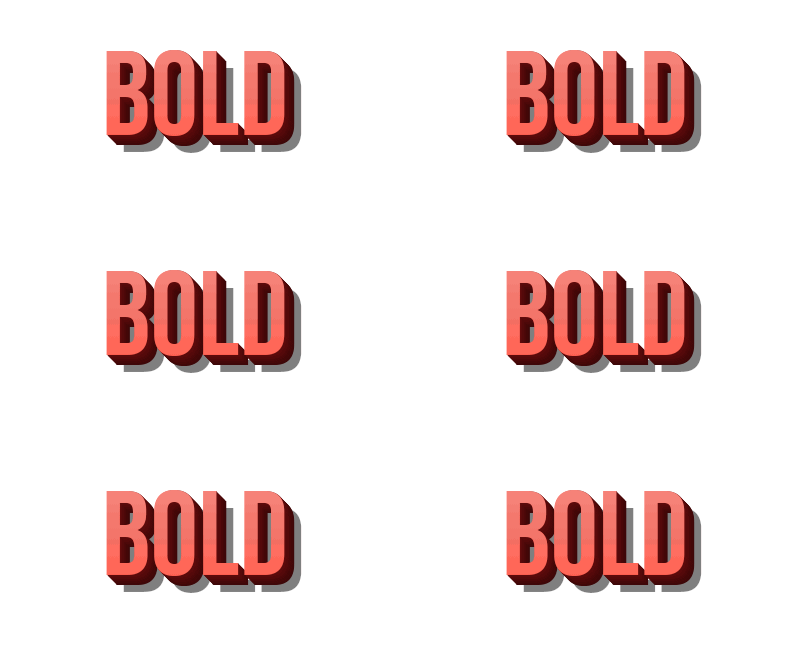 seamless
Red preset with the Still motion: all 24 frames are the same, which keeps the GIF very small.Settings usedBebas Neue, 120 px · 400 × 220 · #ff4b3a on #ffffff · depth 12% of the text size, still motion, side colour #7a0f10 · text shadow24 frames · 18 KB · 1.2 s loop
How the 3D effect is built
The extrusion is a stack of flat copies of your text. The tool draws the copies from the back to the front, each one less than a pixel further along the extrusion direction, so they merge into a solid side. The face is drawn last with a vertical gradient that is lighter at the top. Deeper letters use more copies, and the side gets darker toward the back.
This is a drawing trick, not a 3D engine. The letters are not rotated in perspective: the face stays flat and the side slides around it. That is why it looks best on blocky fonts and at a depth between about 8 and 20 percent. The side also changes brightness a little as its direction changes, which helps it read as a solid object lit from the top left.
Sway, orbit or still
Sway tilts the extrusion direction about 38 degrees either side of the lower right, so the letters seem to turn gently back and forth. Orbit moves the direction through a full circle in one loop, so the side travels all the way around the letters. Both loops are 24 frames at 5 hundredths of a second, so they last 1.2 seconds, and the last frame leads straight into the first.
Still keeps the direction fixed. The GIF still has 24 frames, but they are identical, so the file is tiny. In our test, a 400 by 220 still came out at about 18 KB, while the swaying and orbiting examples were between 127 KB and 206 KB.
Download a PNG of one frame
Many people who search for a 3D text generator want a picture, not an animation. The PNG button saves the frame that is on screen at the size of your canvas. Pause the preview first and the PNG matches the pose you see. With Transparent background on, the PNG keeps full transparency, including soft anti-aliased edges, because PNG is not limited to on-off pixels like GIF.
The GIF is different. A transparent GIF only has clear or solid pixels, so soft edges are blended toward the Edge colour you choose. Set it to the colour of the page where the GIF will sit. If you need smooth edges on any background, use the PNG.
More ways to animate text
3D text is one of several effects built on the same free text engine.
- Text GIF maker with six effects: typing, slide, bounce, neon, wave and glitter on one page, with an AI tab.
- Gradient text generator: a moving gradient fill with two to four colours.
- Add text to an existing GIF: caption a GIF or video you already have.
What people use 3D text for
Titles and thumbnails
A thick 3D word works as a video title or a thumbnail headline. Use the PNG for a still, or the GIF for a moving header.
Logos and brand experiments
Try a name in a few depths and colour pairs before you settle on a look. Export the PNG with a transparent background to place it on another design.
Posters and invitations
Big block letters in gold or candy colours suit party posters, game nights and event announcements.
Social posts and stickers
A short swaying word makes a lively sticker for a post or a chat. Keep the canvas small so the file stays light.
Slides and classroom material
A 3D heading on a slide stands out. Use the Still motion when you do not want the heading to move.
How this tool works and its limits
What this 3D text generator does with your text, and where it stops.
- Everything happens in your browser. Your text is not uploaded, no account is needed and no watermark is added.
- Text is limited to 200 characters. The canvas can be up to 640 pixels wide and 640 pixels tall, within 307,200 pixels in total.
- The loop is 24 frames at 5 hundredths of a second, which is 1.2 seconds. Every GIF is capped at 150 frames, and the estimate under the preview is usually within a quarter of the real size.
- The 3D effect is a stack of flat copies, not a perspective rotation. It looks best at a depth of about 8 to 20 percent of the text size; at 30 percent the side can overwhelm thin fonts.
- Transparent GIFs have on-off transparency only. The PNG button keeps full transparency, but it saves one frame, not an animation.
- The PNG is saved at your canvas size, one pixel for one pixel. If you need a larger still, set a larger canvas up to the limit above before you download.
- We tested this page in Chrome. It needs a 2D canvas and, for the GIF, a Web Worker. The PNG uses the canvas toBlob call, and the page shows an error if your browser cannot produce it.
Questions, answered
How do I make 3D text?
Type your text, pick a 3D style, set the depth and colours, and press Download GIF or Download PNG of this frame. The preview shows what will be saved.
Is the 3D text generator free?
Yes. It is free, needs no sign-up and adds no watermark. Your text stays on your device. The only paid option is the AI version, which costs 1 credit.
Can I download 3D text as an image?
Yes. Pause the preview on the pose you like and press Download PNG of this frame. With Transparent background on, the PNG has real transparency.
Does the text really rotate in 3D?
No. The letters are drawn as a stack of flat copies, and the side slides around the face. It gives a convincing thick-letter look, but it is not a perspective rotation, and it does not show the back of the letters.
Which fonts look best in 3D?
Heavy, blocky fonts such as Anton, Bebas Neue and Oswald. Rounded Fredoka is also good. Thin scripts have little face to carry the side, so use a smaller depth with them.
Can AI make a fancier 3D version?
Yes. The button under the preview opens the AI tab of Text to GIF with your text and the sticker pop style filled in. It draws lettering with decoration around it, costs 1 credit and needs a signed-in account.
Related tools
Other tools you may need next.
 Text to GIFFree + AIDescribe a GIF, or animate exact words with AI.
 Gradient Text GeneratorFreeA moving gradient fill with two to four colours and an angle you choose.
 Add Text to GIFFreeCaption a GIF or short MP4 with several text layers and per-layer frame ranges.
 AI Sticker Generator1 creditDescribe a sticker and get an animated GIF, with transparent GIF and PNG export.