Add Text to GIF
Upload an animated GIF or a short MP4, add one or more text layers, drag them where you want them and download the captioned GIF. It keeps each frame's timing and the real size, and runs in your browser: no upload, no sign-up.
Free · no sign-up · runs in your browser
Your GIF appears here. Add a file to start.
Drag a text layer on the preview to place it. With the preview focused, arrow keys nudge the selected layer by 1 percent, Shift by 5.
Encoding happens in your browser when you click Download. Frame timing and the real size of your GIF are kept. Nothing is uploaded.
How to use it
Drop your GIF or MP4
Choose a GIF of up to 15 MB and 300 frames, or an MP4 of up to 15 seconds. The tool shows its real size, frame count and file size.
Add and style text
Start from a preset (meme top and bottom, subtitle or sticker label) or add layers yourself. Pick a font, size, fill, outline and shadow. Emoji work.
Place it and set the frames
Drag each layer on the preview, or nudge it with the arrow keys. Use the first and last frame sliders to show a layer only on part of the GIF.
Download
Pick the original width, 480 or 320 pixels and a size mode, then download. The output keeps each frame's delay, so the GIF plays at the speed it had.
Examples made with this tool
Four GIFs captioned with this editor. Each started from a sticker GIF we generated ourselves, and the settings under it are exactly what the editor offers.
 seamless
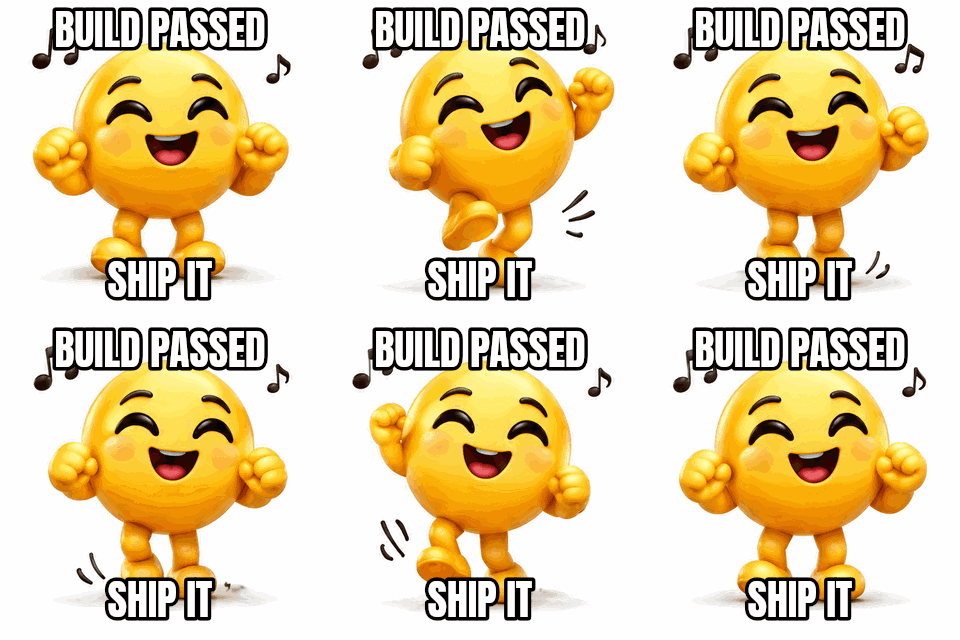
The meme preset: Anton, white fill and a black outline, one layer at the top and one at the bottom, uppercase.Settings usedMeme preset, two layers (Build passed, Ship it) · Anton, white fill, black outline, uppercase · frames 1 to 16 · original width16 frames · 267 KB · 1.6 s loop 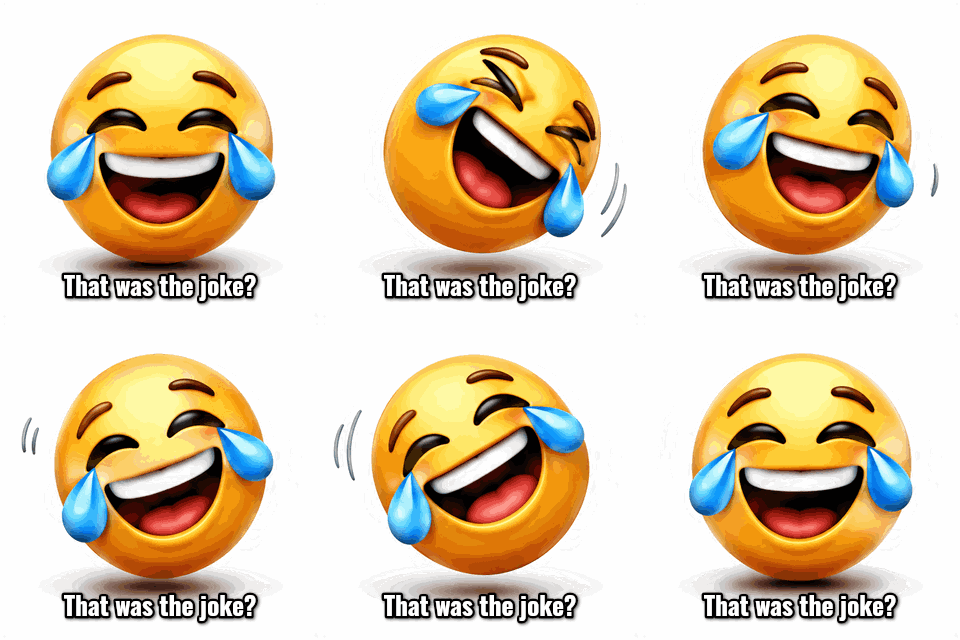 seamless
The subtitle preset: Oswald in white with an outline and a soft shadow, near the bottom edge.Settings usedSubtitle preset (That was the joke?) · Oswald, white, outline and shadow · frames 1 to 16 · original width16 frames · 280 KB · 1.6 s loop 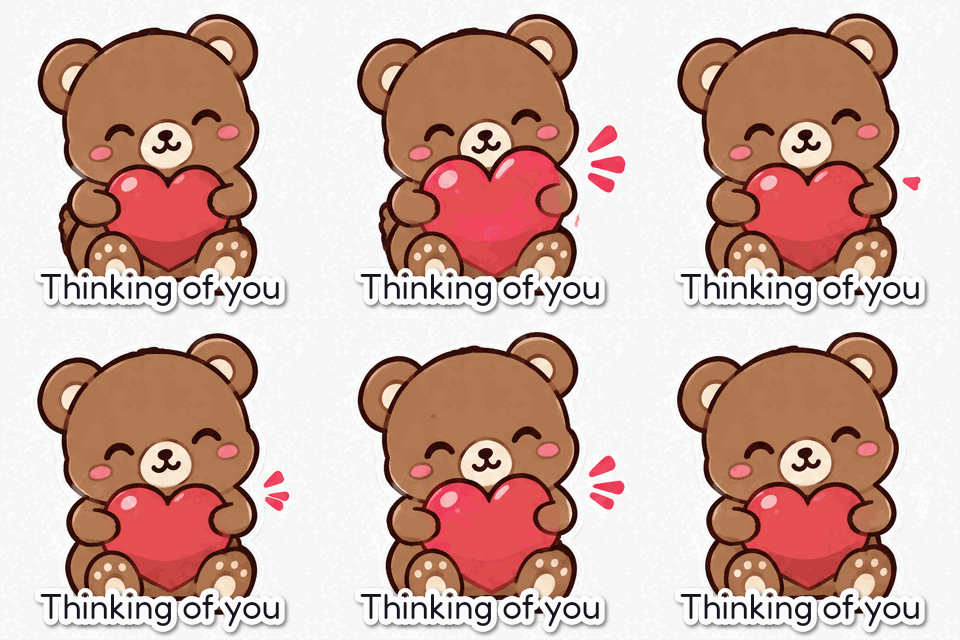 seamless
The sticker label preset: Fredoka in dark ink with a thick white outline, like a die-cut sticker.Settings usedSticker label preset (Thinking of you) · Fredoka, dark fill, white outline, shadow · frames 1 to 16 · original width16 frames · 221 KB · 1.6 s loop 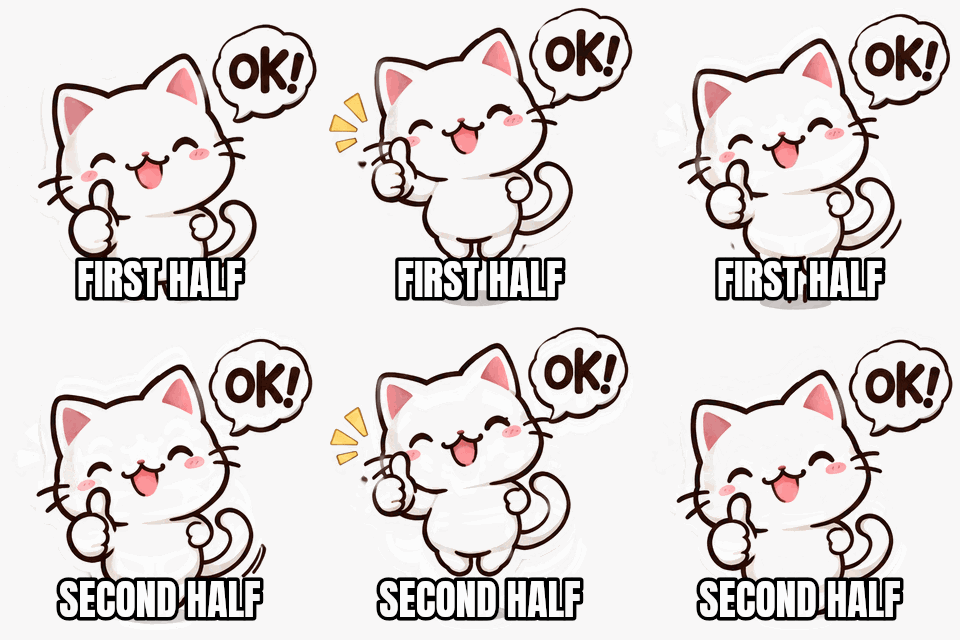 seamless
Two layers at the same position with frame ranges: the first shows on frames 1 to 8, the second on frames 9 to 16.Settings usedTwo meme-style layers at the bottom · First half on frames 1 to 8, Second half on frames 9 to 16 · original width16 frames · 260 KB · 1.6 s loop
Add text to an animated GIF without changing its timing
Many GIFs have uneven frame delays: a quick wobble, a pause on the punchline, a slow fade. When a tool throws that away and re-encodes everything at one speed, the animation feels wrong. This editor decodes your GIF with each frame's own delay, draws your text over the frames, and writes the result with the same delays, so the caption changes nothing about how the GIF plays.
It also keeps the real dimensions. A portrait GIF stays portrait and a wide one stays wide; the output is the original width, capped at 800 pixels, or 480 or 320 wide with the same aspect ratio. Browsers that can't decode GIFs natively use a built-in decoder, so Safari and Firefox work as well as Chrome.
Add text to a GIF the meme way
Choose Meme top and bottom and you get two layers in Anton with white letters, a black outline and uppercase text, the look that everyone recognises. Click each layer, type your own words and drag it into place. The outline is measured as a share of the font size, so it stays proportional if you change the size or shrink the output width.
Font size is a percentage of the frame height too, which keeps the text the same relative size when you export at 480 or 320 pixels. Long captions wrap to about 94 percent of the frame width, and you can add line breaks yourself.
Show a caption on only some frames
Every layer has a first frame and a last frame. Set them with the two sliders and the layer is visible only in that range. That lets you make a caption appear halfway, swap one line for another at a given frame, or time a word to a gesture. The preview slider shows which frame you are on, and picking a layer jumps to its first frame.
Put two layers at the same position with consecutive ranges for a caption that changes, as in the last example above. You can add up to 8 layers, duplicate a layer to reuse its style, and remove any of them.
Add text to a transparent GIF or an MP4
If your GIF has a transparent background, the output stays transparent. GIF transparency is on or off, so the soft edge of the text is blended toward an edge colour you pick: choose the colour of the page the GIF will sit on. MP4 clips are sampled into frames at whole hundredths of a second, using the first 15 seconds and at most 150 frames, and keep their real aspect ratio.
What people caption GIFs for
Reaction memes
Put a joke on a reaction loop with the meme preset. Keep the text short so it fits on one or two lines.
Subtitles and callouts
Add a line near the bottom of a screen recording or clip so viewers know what they are looking at when the sound is off.
Stickers and greetings
Label a sticker GIF with a name or a short wish. The sticker label preset gives it a white die-cut outline.
Step labels in tutorials
Show Step 1 on the first frames, Step 2 on the next, using frame ranges, without cutting the GIF into pieces.
Branding and watermarks
Add your handle in a corner of a clip you own. Use a small size, a light fill and a thin outline so it doesn't fight the picture.
How this tool works and its limits
This is what the editor does with your file, and where it stops.
- Your file never leaves your device. It is decoded, drawn on and encoded in your browser, with no upload and no account. No watermark is added.
- GIFs of up to 15 MB and 300 frames are accepted. MP4 clips of up to 60 MB are accepted; only their first 15 seconds are used, sampled at no more than 150 frames. The tool tells you when a clip was shortened.
- Each frame keeps its own delay. Delays of 0 or 1 hundredth in the source are read as 10, the way browsers play them. Output delays are whole hundredths and never below 2.
- The output is the original size capped at 800 pixels on the longer side, or 480 or 320 wide, with the same aspect ratio. Widths larger than the source are not offered.
- Up to 8 text layers with up to 120 characters each. Fonts are 13 bundled open-licence fonts, and emoji are drawn with your device's emoji font, so they look different on different systems.
- The loop count of the original GIF isn't read, so the captioned GIF loops forever. Re-encoding uses at most 255 colours, so photographic GIFs may change size and look slightly different.
- The preview of an MP4 shows about 40 sampled frames, while the export uses all of them. Works in current Chrome, Edge, Firefox and Safari.
Questions, answered
How do I add text to a GIF?
Drop your GIF into the box above, press a preset or Add text layer, type your words, drag them into place and press Download. The captioned GIF keeps the original frame timing and size.
How do I add text to an animated GIF for only part of the animation?
Select the layer and set its first and last frame. The text shows only on the frames in between. Use two layers with consecutive ranges to swap one caption for another.
Will adding text slow down or speed up my GIF?
No. Each frame's delay is read from the source and written back unchanged, apart from delays shorter than the browser minimum, which are read as 10 hundredths of a second the way browsers play them. Use the GIF speed changer if you do want to change the pace.
Can I add text to an MP4 and get a GIF?
Yes. Drop an MP4 and the tool samples its first 15 seconds into at most 150 frames with the real aspect ratio, then writes a GIF with your text on it.
Does the text keep a transparent background?
If the source GIF has transparency, the output keeps it. Soft text edges are blended toward the edge colour you choose, because GIF transparency is on or off.
Is it free, and is my GIF uploaded?
It is free, needs no sign-up and adds no watermark, and your file stays on your device. If you want AI to make a new GIF from your words, use Text to GIF, which costs 1 credit.
Related tools
Other tools you may need next.
 GIF Speed ChangerFreeSpeed up, slow down or reverse any GIF and keep its timing.
 Typing Text GIF MakerFreeTypewriter-style text GIFs with cursor, fonts and transparent background.
 Image to GIFFreeCombine several images into one GIF: reorder, set delays, crossfade.
 Text to GIFFree + AIDescribe a GIF, or animate exact words with AI.