Image to GIF: Make a GIF from Multiple Images
Add several images, drag them into order, set how long each one shows and download one animated GIF. It runs in your browser: nothing is uploaded and you don't need an account.
Free · no sign-up · runs in your browser
Add two or more images to see your GIF here.
Encoding happens in your browser when you click Download. Nothing is uploaded and no account is needed.
How to use it
Add your images
Drop up to 60 JPEG, PNG, WebP or GIF files of up to 15 MB each onto the box, choose them from the file picker, or paste from your clipboard.
Order and time them
Drag the thumbnails into order, or use the arrow buttons. Give each frame its own delay in milliseconds, or set one value and press Apply to all.
Choose the look
Add a crossfade, pick how pictures fit the frame, choose a width of 320, 480, 640 or the original, and set the loop to forever, once or a number of plays.
Download the GIF
Check the live preview, the frame count and the estimated file size, then press Download. The GIF is encoded in your browser in a few seconds.
Examples made with this tool
Four GIFs made with this converter from pictures we own. The settings under each one are exactly what the page offers, so you can rebuild any of them.
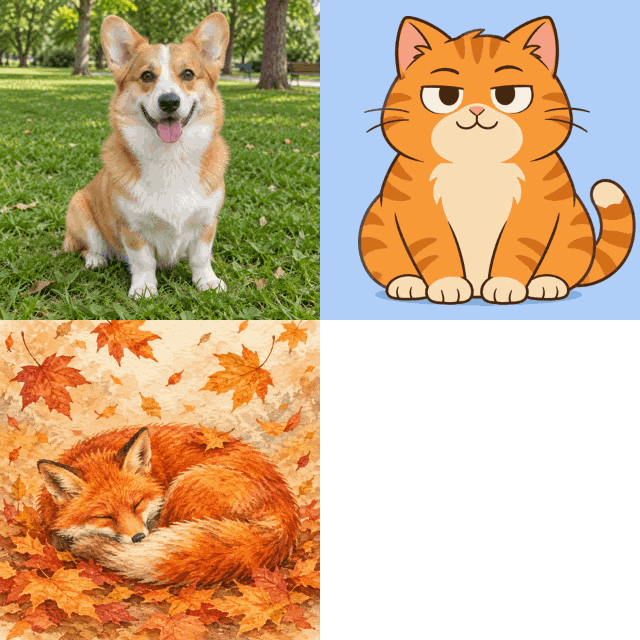 seamless
Three pictures, each held for 0.8 seconds, cropped to fill the square frame.Settings used3 images · 800 ms each · no crossfade · cover · 320 px wide · loops forever · smaller file mode3 frames · 118 KB · 2.4 s loop  seamless
Two pictures with a three-frame crossfade, fading the last picture back into the first so the loop is smooth.Settings used2 images · 900 ms each · 3-frame crossfade, last image fades into the first · cover · 320 px wide · loops forever · smaller file mode8 frames · 194 KB · 2.1 s loop 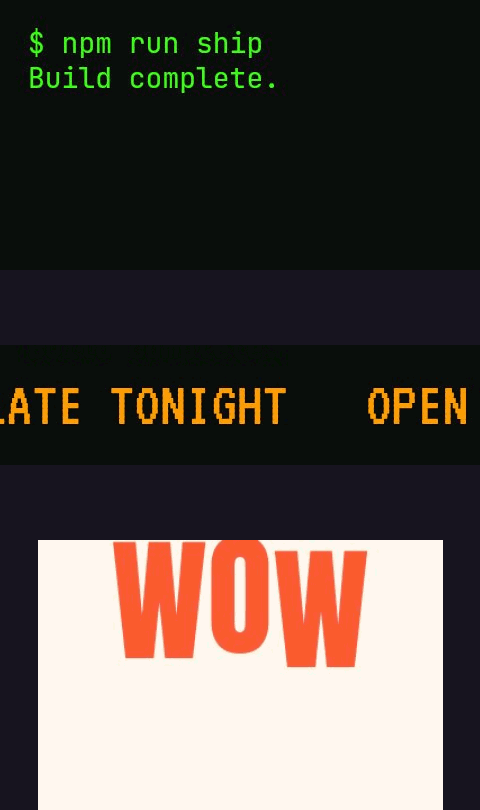 seamless
Pictures with different shapes, fitted inside a 480 by 270 frame with contain, so nothing is cropped.Settings used3 images · 1000 ms each · no crossfade · contain on #17141f · 480 px wide · loops forever · smaller file mode3 frames · 30 KB · 3 s loop 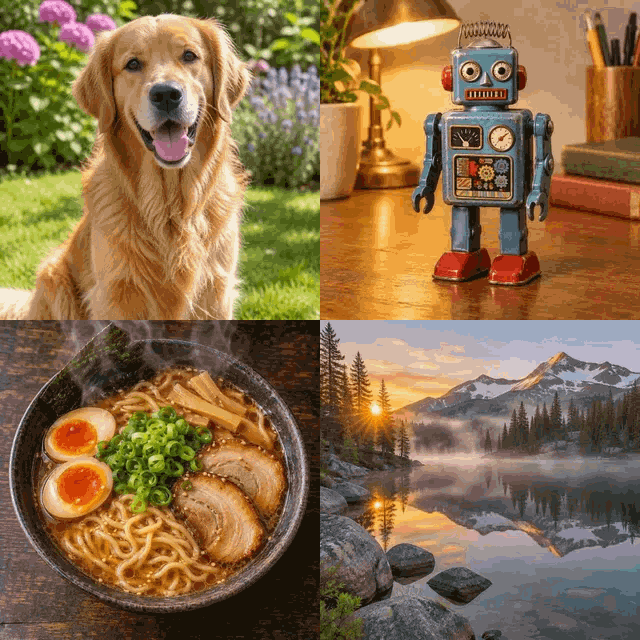 seamless
Four pictures at 0.5 seconds each, a quick flipbook with no crossfade.Settings used4 images · 500 ms each · no crossfade · cover · 320 px wide · loops forever · smaller file mode4 frames · 172 KB · 2 s loop
Photo to GIF: turn a set of photos into one animation
This converter treats every picture as one frame and plays them in order, each for the time you set. That makes it a quick way to go from photo to GIF when you have several shots of the same thing: five angles of a product, a before and after, a run of steps in a tutorial, or a photo dump from a weekend that you want in one file instead of ten.
Everything happens on your own device. The pictures are decoded in your browser, drawn on a canvas for the live preview and encoded to a GIF when you press the button. There is no upload, no account and no watermark. If you want a single photo to move rather than a set of photos to flip through, use the AI photo animator linked in the card beside the preview.
GIF maker from images: delay, crossfade, fit and loop
Each frame has its own delay from 20 milliseconds to 10 seconds, stored in whole hundredths of a second and never below 2, because browsers play anything shorter at about 10. Use a long delay on the picture you want people to read and a short one for a quick flip. Apply to all sets every frame at once, and you can still change single frames afterwards.
Crossfade inserts blended frames between neighbouring pictures, from 1 to 8 of them, each lasting 0.05 seconds. Total output, including those frames, can't pass 300, so the slider lowers itself when you add many pictures. Fit decides how a picture sits in the frame: contain shows all of it and fills the gaps with a background colour, cover fills the frame and crops the edges, and stretch distorts it to fit. The first picture sets the shape of the GIF.
Images to GIF with a transparent background
When at least one of your pictures has transparent pixels, such as a PNG cut-out or a WebP sticker, the Transparent background option unlocks. The empty space around contained pictures then stays see-through too. GIF transparency is on or off, with no soft edges, so edge pixels are blended toward an edge colour that you choose. Pick the colour of the page the GIF will sit on to avoid a halo.
Make the GIF file smaller
Photos are heavy as GIFs, because every frame is a full picture with at most 256 colours. The page shows the frame count and an estimated size before you export, so you can adjust first. Pick a narrower width, use fewer pictures, turn the crossfade down, or choose the smaller file mode, which uses 127 colours and ignores tiny colour changes between frames. Crossfade is the biggest cost, since every blended frame is a new picture.
What people make from several images
Product angle flipbooks
Shoot a product from four or five sides, set a 600 to 800 ms delay and loop it. Use contain with a white background so nothing is cropped.
Before and after
Two pictures with a 1.5 second delay and a crossfade of 3 or 4 frames make a clear comparison. Fade the last one back to the first for a smooth loop.
Step-by-step tutorials
Turn screenshots into a short walk-through. Hold each step for two or three seconds and use stretch only if the screenshots already share a shape.
Photo recaps
Put a day out into one GIF of 10 to 20 photos at about 800 ms. Choose cover so every picture fills the frame, and 480 pixels wide to keep the file light.
Hand-drawn animation
Scan or export your drawn frames, set 100 ms for each, and loop forever. Use 40 to 80 ms for smoother motion.
How this tool works and its limits
This is what the converter does with your files, and where it stops.
- Your images never leave your device. They are decoded, drawn and encoded in your browser, with no upload and no account. No watermark is added.
- Up to 60 images, each up to 15 MB, as JPEG, PNG, WebP or GIF. An animated GIF contributes only its first frame; to change the speed of an existing animated GIF, use the speed changer instead. HEIC files aren't accepted, so export them as JPEG first.
- The output can hold at most 300 frames, counting crossfade frames. With 60 images the crossfade can reach 4 frames, and the slider limits itself automatically.
- Delays run from 20 ms to 10 seconds per picture, in whole hundredths of a second. Crossfade frames last 0.05 seconds each and add to the total length.
- The first picture sets the aspect ratio. Width can be 320, 480, 640 or the original, never more than 800 pixels on either side. Pictures are downscaled when they are loaded to keep memory use low.
- Loop can be forever, once or 2 to 100 plays. Transparent output needs at least one picture with transparent pixels and uses on-or-off transparency.
- The size estimate comes from encoding a few sample frames and is usually within about 25 percent of the real file. Works in current Chrome, Edge, Firefox and Safari.
Questions, answered
How do I make a GIF from multiple images?
Add your pictures with the box above, drag them into order, set the delay for each one, and press Download. The GIF is made in your browser in a few seconds, with no upload and no account.
Can I turn photos from my phone into a GIF?
Yes. Open this page on your phone, tap the box and choose several photos. JPEG, PNG, WebP and GIF files of up to 15 MB are accepted; HEIC files aren't, so use the JPEG version. Reordering works with the arrow buttons if dragging is awkward.
How do I change how long each picture shows?
Each thumbnail has its own delay field in milliseconds. To use the same time everywhere, type it in Delay for every frame and press Apply to all. A second is 1000 ms, and the smallest delay is 20 ms.
What does crossfade do, and why does it make the file bigger?
Crossfade adds blended frames between pictures so one dissolves into the next. Every blended frame is a new full picture, so a three-frame crossfade between two pictures makes the GIF several times larger than a plain cut. Lower the fade or the width to compensate.
How do I make the GIF smaller?
Use a narrower width, fewer pictures, a lower crossfade and the smaller file mode. The estimated size updates as you change them, so you can find the point where it is light enough to share.
Is this free, and are my images uploaded?
It is free, needs no sign-up and adds no watermark. Your pictures are processed on your device and aren't sent anywhere. The AI photo animator is a separate tool and costs 1 credit per GIF.
Related tools
Other tools you may need next.
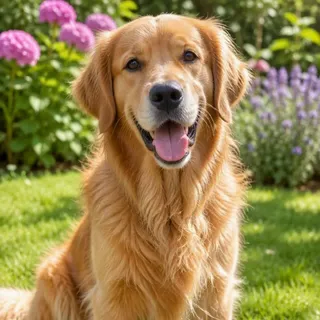 Animate Photo1 creditBring one still photo to life as a seamless loop GIF with AI.
 GIF Speed ChangerFreeSpeed up, slow down or reverse any GIF and keep its timing.
 Add Text to GIFFreeCaption a GIF or short MP4 with several text layers and per-layer frame ranges.
 Text to GIFFree + AIDescribe a GIF, or animate exact words with AI.