How to make a seamless loop GIF that does not jump
A GIF jumps at the end when its last frame does not lead into its first frame. To stop it, make the end match the start: play the clip forward and then backward, cut it so it ends on a frame that looks like the first, or blend the last frames toward the first. Each fix below is tested on our own GIFs, with the numbers.
By Kevin Fan ·
Why a loop jumps
A GIF plays its frames in order and then starts again at frame 1, so the picture that follows the last frame is always the first frame. If those two do not lead into each other, your eye sees a jump. Three things cause it.
- The last frame does not lead into the first. The subject is in a different place or pose at the end than at the start.
- A duplicated endpoint makes a stall. The same frame appears twice in a row at the loop point, or at the turn of a ping-pong, so the loop pauses there for an extra frame.
- A seam in motion or colour. Positions may match, but the speed or direction changes at the join, or the brightness or colour is different from one end to the other.
How big is a jump? We measure it as the mean colour difference between two frames, on a scale of 0 to 255. Our bear sticker has 16 frames of 100 ms each. Its last frame differs from its first by 11.5. Neighbouring frames differ by 5.5 on average, so the seam is about twice a normal step, and that is what the eye catches.
Measured: what a duplicated end frame costs
We made two ping-pong GIFs from the bear sticker with the boomerang tool. One repeats the end frames: frames 1 to 16, then 16 back to 1. The other skips them: frames 1 to 16, then 15 back to 2. The first has 32 frames and lasts 3200 ms. At the turn and at the loop point the same frame is shown twice in a row, so each of those two pictures stays on screen for 200 ms instead of 100 ms. That is a pause of 100 ms at each end, 200 ms per loop. The second has 30 frames and lasts 3000 ms, and every frame is shown for 100 ms, so it has no pause.
We read these numbers from the delays and pixels of the two GIF files, not from the settings we typed in. In the first file the frames at the turn are identical and so are the last and first frames, which is the stall. In the second file no frame is repeated.
Examples from our own files
Each example is a real output of our tools, made from one of our own GIFs. The measurements come from the files themselves.
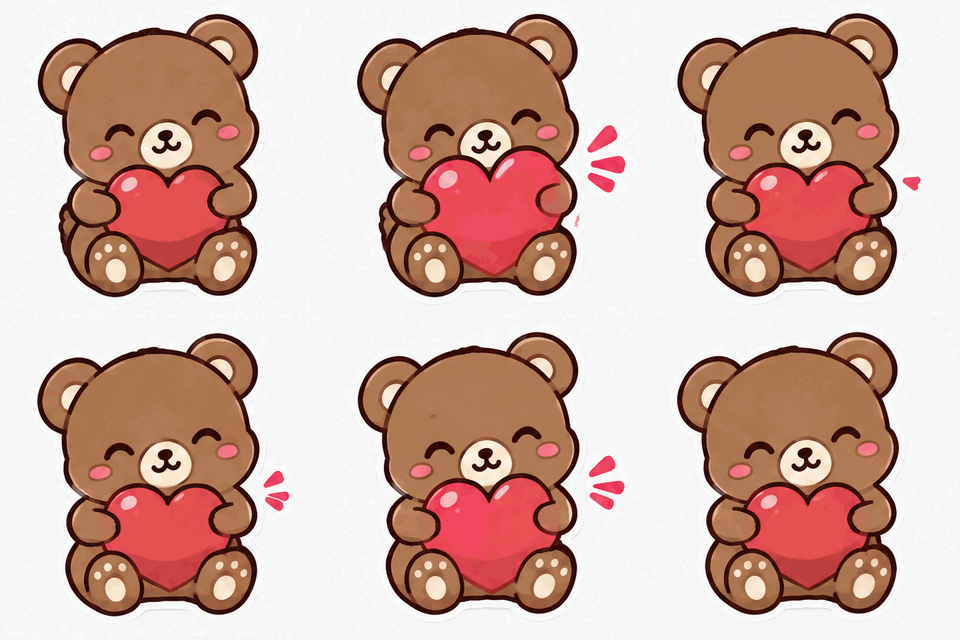 As it is: jumps
 Ping-pong
The bear sticker as it is, then as a ping-pong with the repeated end frames skipped. The difference between the last and first frame falls from 11.5 to 5.2.Settings usedBoomerang, repeated end frames skipped, speed 1×, 16 frames at 100 ms, output 240 × 240 px.16 frames · 498 KB → 30 frames · 581 KB · 240 px  Repeated ends: pausesEnds skipped: no pause
The same ping-pong twice. On the left the end frames are repeated, so the turn and the loop point each pause for 200 ms. On the right they are skipped and every frame lasts 100 ms.Settings usedBoomerang, repeated end frames kept (32 frames, 3200 ms) and skipped (30 frames, 3000 ms), speed 1×.32 frames · 601 KB → 30 frames · 581 KB · 240 px 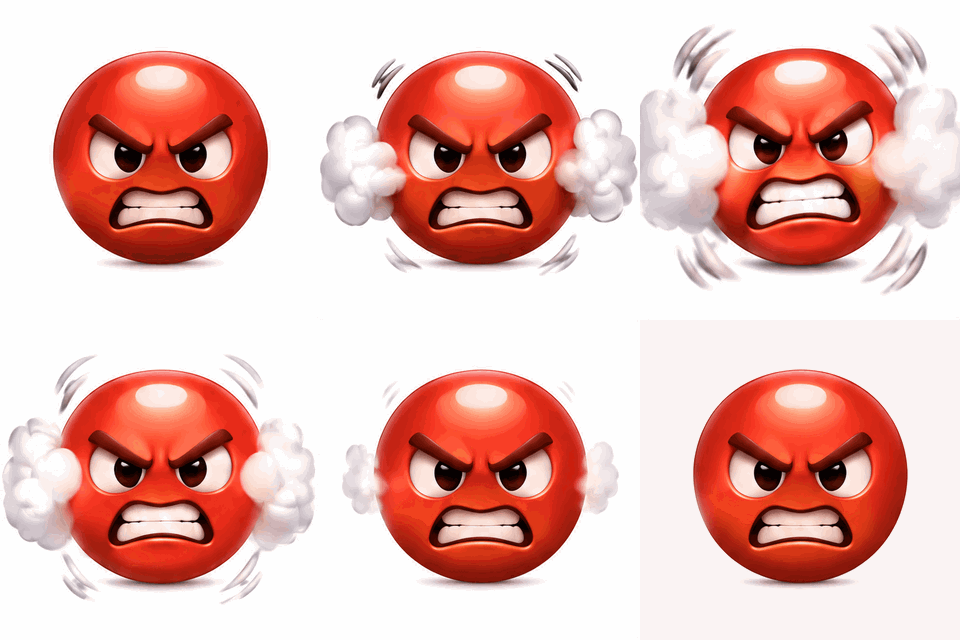 As it is: jumps
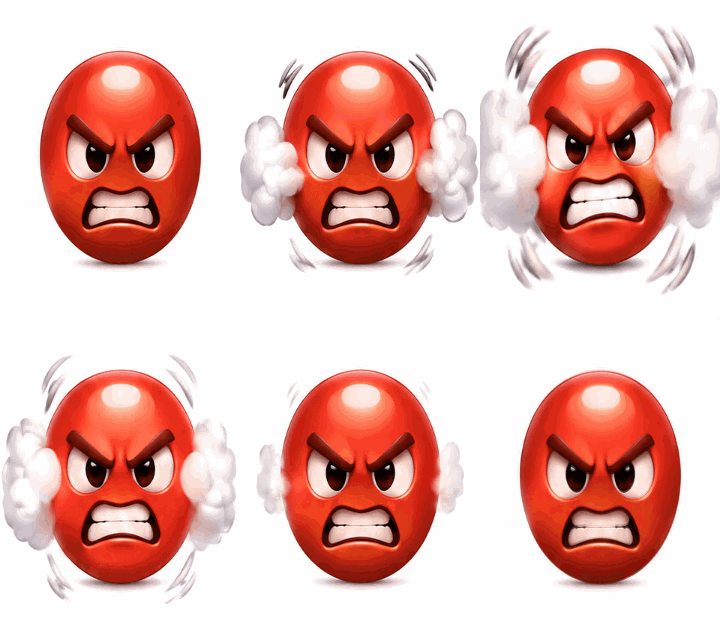 Smoothed seam
An angry face sticker as it is, then with loop smoothing applied. The mean difference between the last and first frame goes from 10.2 to 2.6.Settings usedLoop smoothing as in the AI export: last three frames blended toward the first. 16 frames at 100 ms, output 240 × 240 px.16 frames · 414 KB → 16 frames · 340 KB · 240 px
Fix 1: ping-pong, forward then backward
A ping-pong loop runs the clip forward and then backward, so the end of the loop is the same motion the viewer just saw. The boomerang GIF tool does this, and its option to skip the repeated end frames is what gives the no-pause version above. In our test the jump at the loop point fell from 11.5 to 5.2, which is no bigger than the 5.5 between ordinary neighbouring frames.
Ping-pong looks wrong when the motion has a direction. Walking, flowing water, a falling object and a spinning wheel all visibly reverse. It suits things that sway, bounce, breathe, blink or wave. If you only want the clip played backwards once, the reverse GIF tool does that, but a reversed clip still jumps at the loop point unless its ends match.
Fix 2: match the first and last frames, or smooth the seam
The cleanest loop is a clip whose last frame leads naturally into its first. If the subject returns to where it started, there is nothing to hide. With a GIF you already have, step through it with the GIF player to find two frames that look alike, then cut the clip between them with the cut GIF tool. The zoom GIF tool has an option to zoom and then return, so a zoom ends at the size it started at.
LoopGIF has no tool that crossfades the seam of a GIF you already have. The one place it blends the end into the start is the export of an AI photo clip, described in the next section. For other GIFs, use ping-pong or cut to matching frames.
Fix 3: loops from AI
This is what the AI photo pipeline does to make a loop, and nothing more. When you animate a photo, we send the model your picture as the starting image and again as the ending image. The prompt we add ends with: static camera, the subject returns exactly to its starting pose, seamless loop, keep the subject, colours and background unchanged. The clip is 3 seconds long, square and 480p, with the camera fixed. A model can still miss, so asking is not a guarantee.
The safety net is loop smoothing, on by default when you export. In your browser, before the GIF is written, it drops the last frame if that frame is nearly the same as the first (a mean difference under 3 out of 255). Then it blends the last three frames toward the first by 25%, 50% and 75%. We ran the same functions on our angry-face sticker: the mean difference between the last and first frame went from 10.2 to 2.6, while neighbouring frames differ by 8.6 on average.
Text and logo GIFs use a different engine. Its prompt asks for a short seamless loop where the last frame returns to the first. Loop smoothing is off for them, because blending lettering would ghost the letters. A ping-pong option is offered there instead. To try the photo version, open Animate photo.
How to check a loop
Open the GIF in the GIF player. Use the left and right arrow keys to step to the last frame, then step once more to see the first, and compare the two. Turn the loop switch on and watch five or six passes, because one pass hides a small jump.
Then open the GIF frame rate tool and read the delay of each frame. A long delay on the first or last frame, or two identical frames in a row, is a stall. The tool also warns about delays under 2 cs, which browsers slow down, and that can make a loop look uneven.
Tools used in this guide
- Boomerang GIF: forward then backward, with an option to skip repeated end frames
- Reverse GIF: play a GIF backwards
- GIF player: step frame by frame and check the loop
- GIF frame rate: see every frame's delay
- Cut GIF: trim a clip to matching frames
- Zoom GIF: zoom in and return
- Animate photo: an AI loop from your picture
Questions, answered
Why does my GIF jump at the end?
Because the frame after the last frame is the first frame, and the two do not match. The subject is in a different place, or the same frame appears twice and the loop pauses. Make the end match the start, or play the clip forward and then backward.
What is the difference between a loop and a ping-pong?
A loop plays the frames in order and starts again. A ping-pong plays them forward and then backward, so the last motion the viewer sees is the start of the next pass. Ping-pong always joins smoothly, but it reverses the motion, which looks wrong for walking, water or rotation.
Can I crossfade the end of a GIF into the start?
Not on a GIF you already have, with our tools. LoopGIF blends the last three frames toward the first only when you export an AI photo clip. For other GIFs, use ping-pong, or cut the clip so it ends on a frame that looks like the first.
Does the AI make a perfect loop?
It is asked to, and it is given your picture as both the first and last image, but a model can miss. That is why the export has loop smoothing on by default, and why you should check the result in the GIF player.
How do I stop a GIF pausing at the end?
A pause usually means the same frame appears twice in a row at the loop point, or a long delay sits on the first or last frame. Skip the repeated end frames in the boomerang tool, and read the per-frame delays in the frame rate tool.